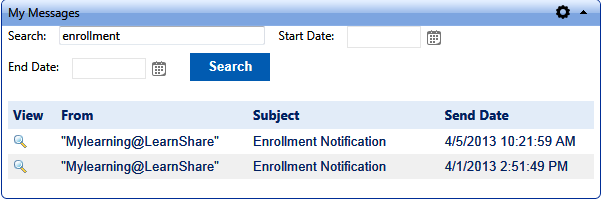
This widget allows users to view all messages that have been sent to them from the LMS within the past 90 days (or less depending on the settings). The user can sort the results by keyword and/or date range. When the user clicks on the magnifying glass beside each message, the entire email message will be displayed.
Under the General options sub-tab of Settings, there are two options.
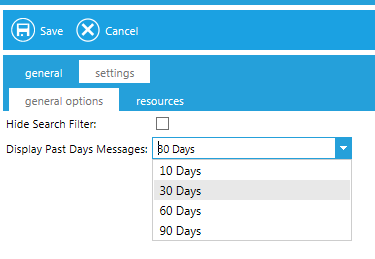
Select the Hide Search Filter checkbox to suppress both the Search box and the Date Range boxes.The default is unchecked.
Use the Display Past Days Messages drop-down to select how far in the past emails should display. Options range from 10 – 90 day. 30 days is the default.